

What developers use
Trustblock offers three ready-made pieces, and an API behind them. Try the project label and the security firm widget on the Playground.1. Project label
A label you add to your page with a script and adiv. It shows a project’s audit state.
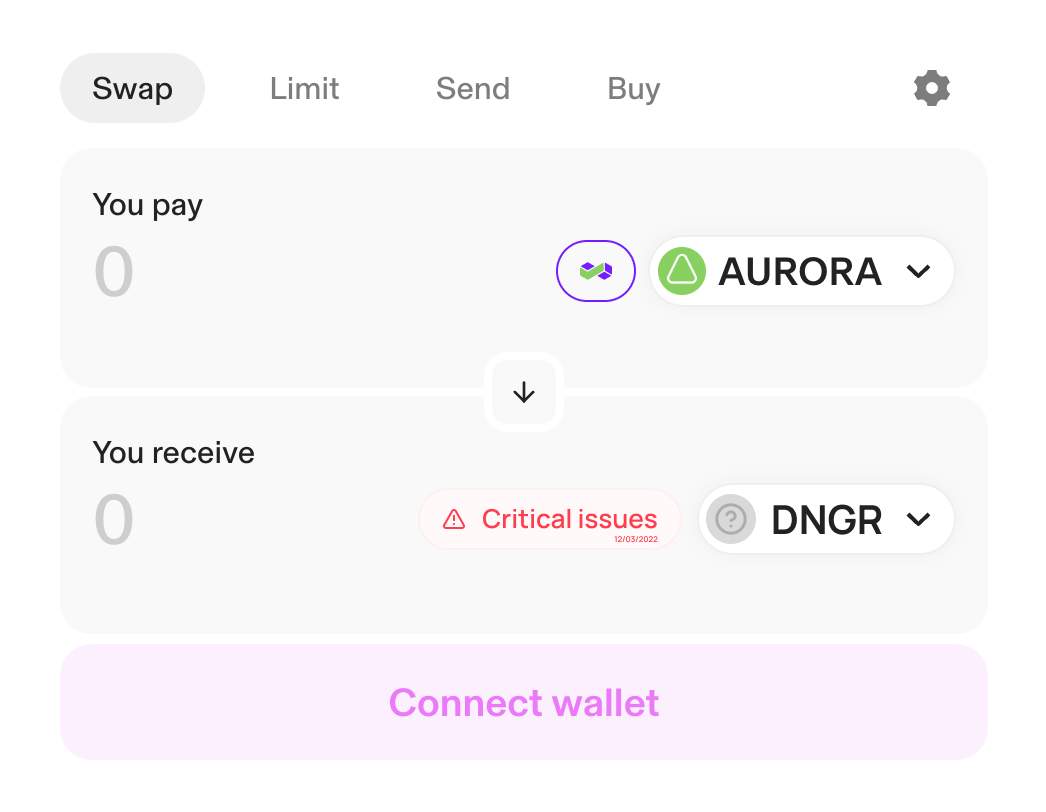
Example of a label on a swap interface
Labels Widget
Learn how to add the project label to your website.
2. Security firm widget
A card for a security firm and its published audits.Security firm widget
Learn how to show a security firm’s metrics on your website.
3. Explorer cards
Two compact cards for block explorers: one shaped for the Etherscan contract page, one for Blockscout. They are read-only JSON routes.Explorer cards
Read the Etherscan and Blockscout cards for a project.
The API
The security route returns a project’s published audits, the findings that still stand and any recorded incidents.Security Data API
Read a project’s published audit state from your own code.
Your API key and usage
Create a developer account in the app. Your Developer dashboard shows your API key, your credits and your recent calls. Send the key asAuthorization: Bearer <key>.
- The project security route uses one API credit when it returns a project.
- The two card routes use no API credit.
- The security route answers
402when your credits are exhausted.